Clipboard manager and screenshot search for MacFind anything you copied or captured.
Every screenshot and everything you copy, organized and one shortcut away. Copy something new without losing what came before, and find any screenshot by the words inside it. All private, on your Mac.
- Private, on your Mac
- No account needed
- 7-day free trial
- macOS 14 or later
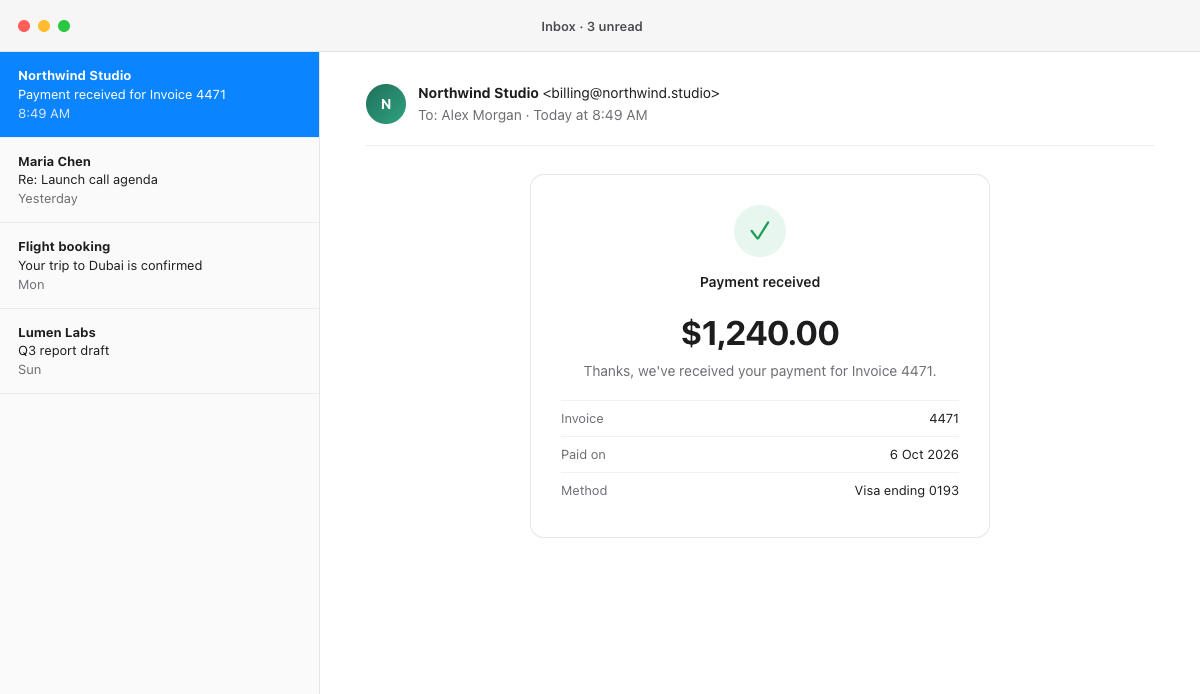
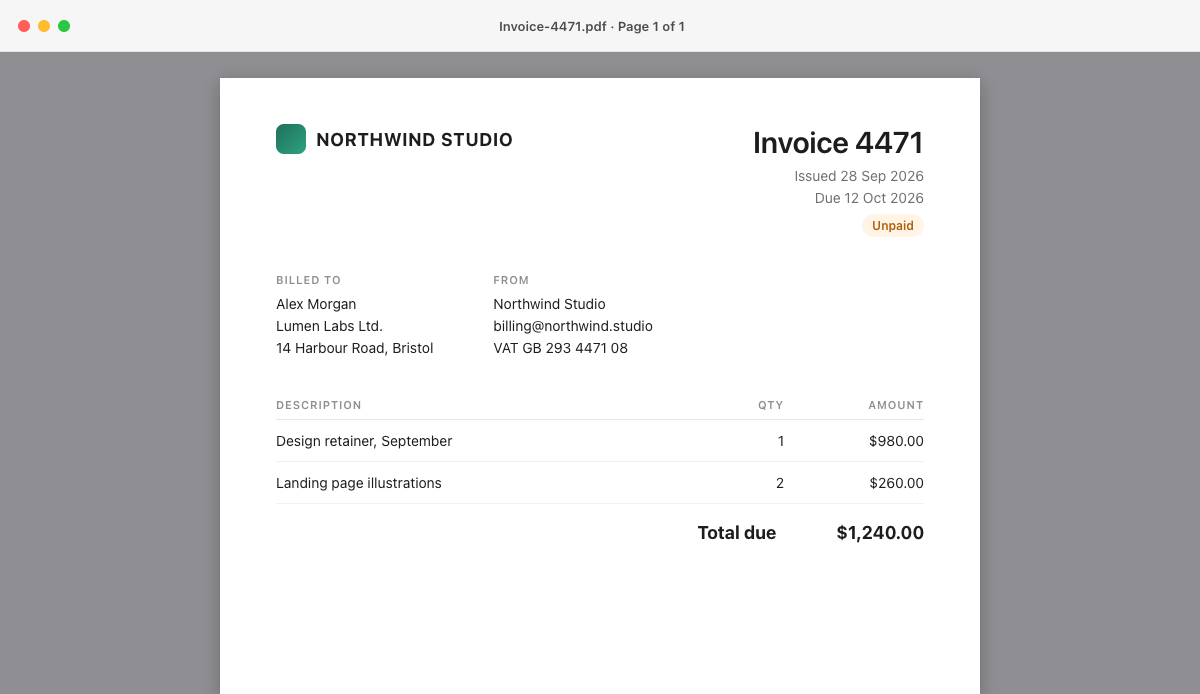
A short demo. You take a screenshot of an invoice. Days later you press Option V, type invoice 4471, and Nabby finds the screenshot. Pressing Return pastes it into an email.

The problem
You saved it. You just can't find it.
Without Nabby
- ✕Hundreds of files, all called Screenshot.
- ✕Copy something new and the last thing is gone, or kept a few days at most.
- ✕The words you need are trapped inside images.
- ✕The same things typed again and again.
With Nabby
- Every screenshot searchable by the words inside it.
- Everything you copy, kept. Pin what you use daily.
- One shortcut in any app: ⌥V.
- Press Return and it's pasted.
How it works
Three steps. No new habits.
- 01
Capture and copy like always.
Take screenshots and copy things the way you already do. Nabby saves each one in the background and reads the text in your screenshots, right on your Mac.
- 02
Press ⌥V and type what you remember.
A word, a number, a name. Nabby searches your clipboard and the words inside every screenshot as you type.
- 03
Press Return to paste.
The item lands right where you were typing. Or drag a screenshot straight into Mail, Slack or Messages.
Use cases
Made for the moment you need it back.
Developers
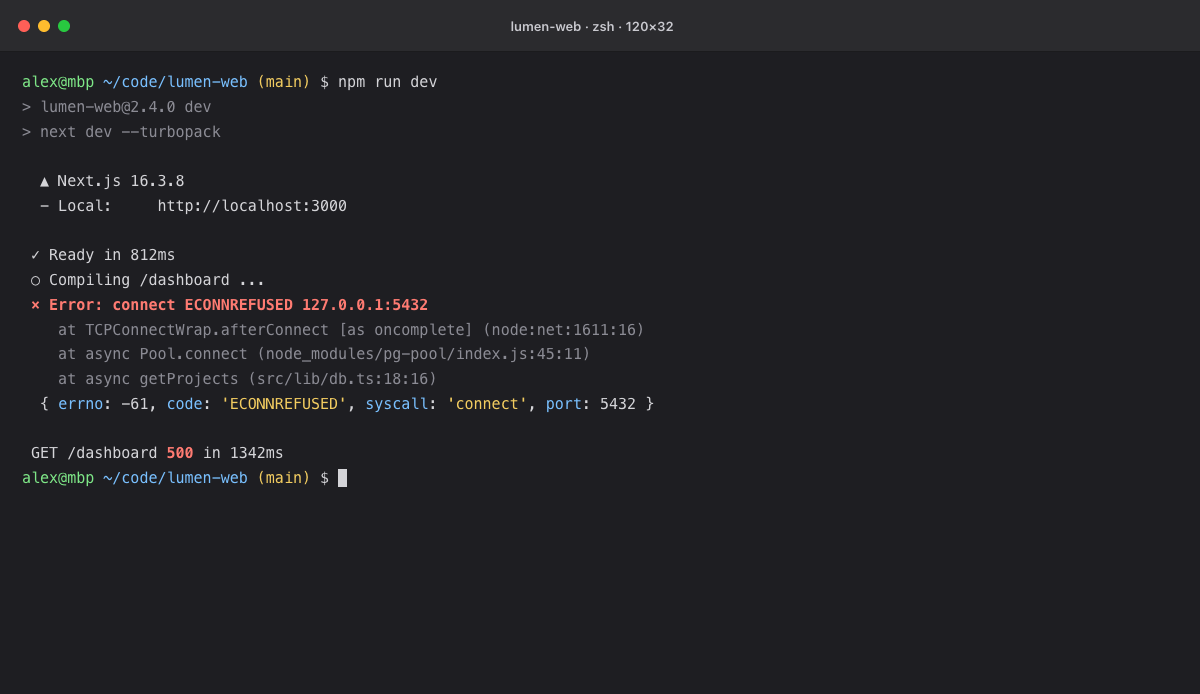
The error from yesterday's build
Designers
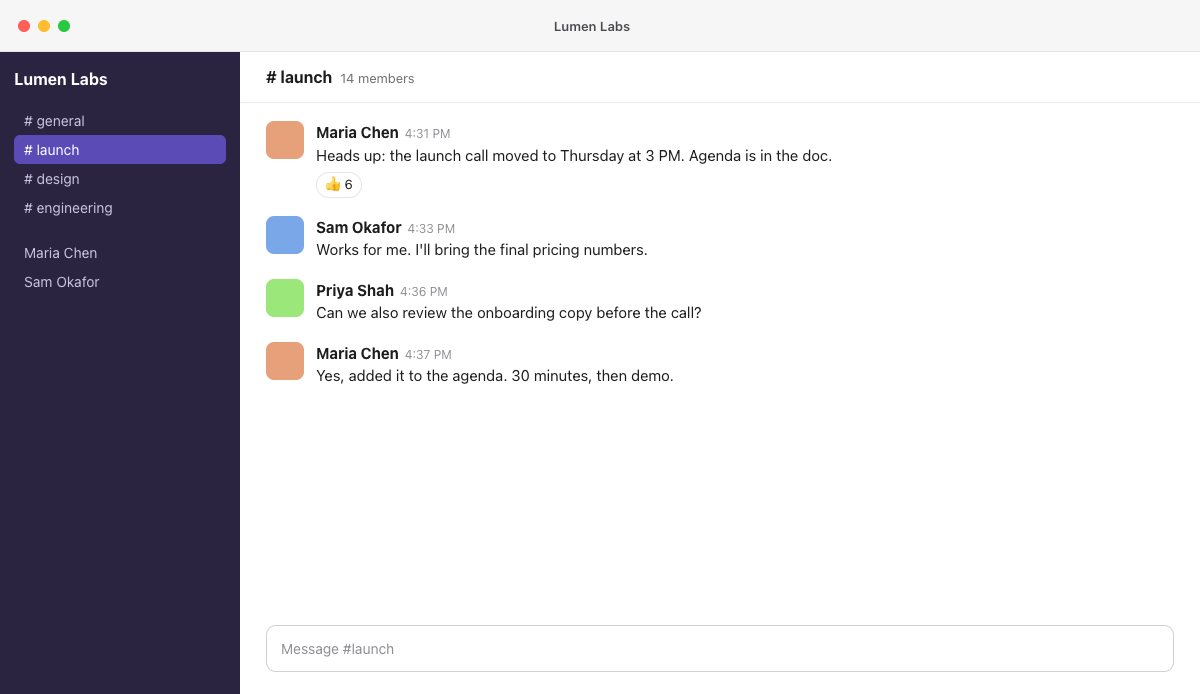
Feedback from last week's review
Product managers
The number for the weekly update
Customer support
The order a customer asks about
Students
The slide from Tuesday's lecture
Freelancers
Proof that a client paid
Travelers
Your gate when someone asks
Find the error you saw yesterday.
Search terminal and browser screenshots by the error inside them, then paste it to your team.
Features
Everything you need. Nothing you don't.
Search inside your screenshots.
A screenshot organizer that knows what's inside every screenshot. Nabby reads the text in your screenshots on your Mac, so you can find a screenshot by its words, its file name or its date. It even brings in your last 30 days of screenshots on day one.
⌥V, in any app.
One keyboard shortcut opens your clipboard history and screenshots wherever you're typing. Prefer another? Pick from five.
Your clipboard, remembered.
Copy something new without losing what you copied before. Your clipboard history keeps text, links, code and images, up to 2,500 items, for 7 days or forever.
Paste without the dance.
Arrow keys and Return paste for you, or ⌘1 to ⌘9 for your first nine items. Drag screenshots straight into any app.
Secrets stay out.
Passwords from password managers are never saved. API keys, tokens and card numbers are skipped too.
Pins and favorites
Pin what you paste daily. Star what you want to keep forever.
Passwords skipped
Anything a password manager copies is never saved.
Pause
For 15 minutes, an hour or until you resume. Right from the menu bar.
Accent colors
Violet by default. Pick one of eight colors or match your Mac.
Light and dark
Follows your Mac, or pick a side.
Lives in the menu bar
No Dock icon. Starts when you log in, so nothing is missed.
Your files stay put
Nabby never copies or changes your screenshots. A file moves to the Trash only when you ask.
Apple silicon and Intel
Runs on any Mac with macOS 14 Sonoma or later.
Edit before you send.
Crop, point with an arrow, add a note, highlight what matters and blur private details, right from Nabby. Your original screenshot stays untouched.
- Crop
- Arrow
- Text
- Highlight
- Blur
Private by design
Your history never leaves your Mac.
Nabby is a private clipboard manager: no account to create, no cloud to sync to, nothing to track. The only time it goes online is to check your subscription with the App Store.
- Your screenshotsOnly the folder you choose
- Read on your MacApple's Vision technology
- Encrypted historyKey kept in your Keychain
What you copy is kept the same way: on your Mac, encrypted. Passwords are never saved.
Never leaves, never happens
- ✕Cloud sync
- ✕Accounts
- ✕Analytics
- ✕Screen recording
No keystroke logging. Nabby only reads the clipboard after you copy.
The one connection
App Store, for your subscription
Apple handles payment. We never see your card or your history.
Try it free for 7 days.
Every feature, on every plan. Cancel any time in your App Store settings.
Monthly
$3.99/ month
Billed monthly. Cancel any time.
7 days free, then $3.99 a month.
Annual
Best value · Save 37%$29.99/ year
That's $2.50 a month, billed yearly.
7 days free, then $29.99 a year.
Every plan includes
- Search text in all your screenshots
- Clipboard history of up to 2,500 items
- ⌥V quick panel with auto-paste
- Encrypted, private, on your Mac
- Free updates
Prices in US dollars. The App Store shows the price in your currency. After the free trial, your plan renews automatically unless you cancel at least 24 hours before the end of the period. Payment is charged to your Apple Account.
FAQ
Questions, answered.
Everything people ask before they try Nabby. If yours isn't here, ask us directly.
Still have a question?
You'll hear back from the person who builds Nabby, usually within two working days.
Privacy
How does Nabby find text in my screenshots?
When a new screenshot lands in your screenshot folder, Nabby reads the text in it (OCR) using Apple's Vision technology, on your Mac. That text is saved, encrypted, so you can search it later. Nothing is sent anywhere.
Does anything leave my Mac?
No. Your clipboard history, screenshots and the text inside them stay on your Mac. Nabby only goes online to check your subscription with the App Store.
Will Nabby save my passwords?
No. Anything copied from a password manager is skipped. Nabby also skips things that look like API keys, tokens and card numbers. You can turn that second filter off in Settings if you need to.
Using Nabby
What is Nabby?
Nabby is a clipboard manager and screenshot search for Mac. It keeps everything you copy and every screenshot you take organized in one panel you open with ⌥V in any app, so copying something new never costs you what you copied before. It can even find a screenshot by the words inside it. Everything stays private, on your Mac.
Why does Nabby ask for permission to paste?
To paste for you, Nabby needs to press ⌘V in the app you're using, and macOS asks you to allow that once. It's optional. Without it, Nabby copies what you pick and you press ⌘V yourself.
Does Nabby move or copy my screenshots?
No. Your screenshots stay exactly where macOS saves them. Nabby only renames a file or moves it to the Trash when you ask it to.
Can I change the ⌥V shortcut?
Yes. Pick from five shortcuts in Settings, including ⇧⌘V and ⌃⌥Space.
Which Macs does Nabby run on?
Any Mac with macOS 14 Sonoma or later, on Apple silicon or Intel.
Plans and billing
What happens when the free trial ends?
Your plan starts automatically unless you cancel before the trial ends. If you cancel, Nabby locks and stops saving new items, but your history is kept. Subscribe again and it's all there.
How do I cancel?
Open the App Store, click your name, then Account Settings and Manage Subscriptions. Or choose Manage Subscription inside Nabby.
Is there a one-time purchase?
Not right now. Nabby is a subscription, monthly or yearly, with a 7-day free trial.
Stop digging for screenshots.
Try Nabby free for 7 days.